
Gallery Magick Image Processing

Introduction
What is Gallery Magick Image Processing?
Gallery Magick Image Processing provides an image file processing library and CMS plugins to manipulate image files, using any of these:
org.onehippo.forge.gallerymagick.core.command.ScalrProcessorUtils utility class provides a pure Java based image identifying/resizing solution.
When using a non-Java based solution, it executes commands of either GraphicsMagick or ImageMagick):
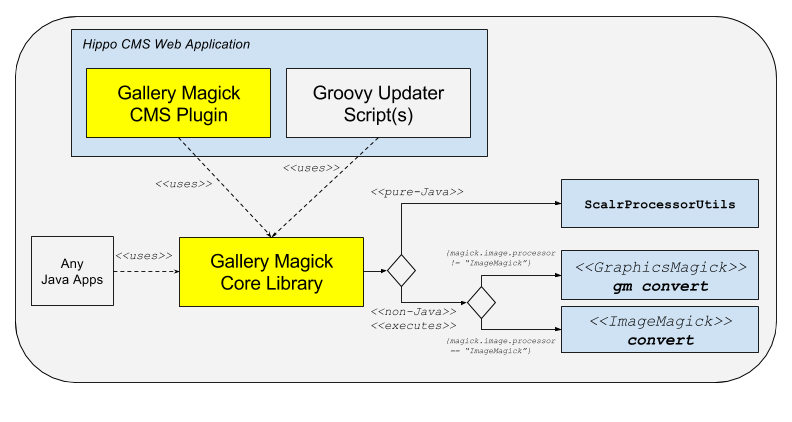
Gallery Magick Image Processing basically aims to provide the following:
- Gallery Magick Image Processing Core Library : Programmatic Utilities to process image files using imgscalr - Java Image-Scaling Library, GraphicsMagick, or ImageMagick.
- Gallery Magick Image Processing CMS Plugins : CMS Plugins such as Magick Command Gallery Processor using Gallery Image Processing Core Library.
Image Metadata Property
When images are uploaded through Gallery Magick Image Processing CMS Plugins, the plugin will extract all the image metadata automatically (through identify -verbose command internally) and store the result metadata string in gallerymagick.metadata (string) property at the hippogallery:imageset node (the parent node of all the image variant nodes such as hippogallery:original or hippogallery:thumbnail).
So, you can easily read the gallerymagick.metadata property to read the metadata such as camera maker, geo-location where the photo was taken, etc. Here's an example of image metadata extracted by GraphicsMagick:
Image: IMG_4181_2.JPG
  Format: JPEG (Joint Photographic Experts Group JFIF format)
  Geometry: 1600x1200
  Class: DirectClass
  Type: true color
  Depth: 8 bits-per-pixel component

  # SNIP

  Profile-EXIF: 1912 bytes
    Make: Apple
    Model: iPhone 6
    Orientation: 1
    X Resolution: 72/1
    Y Resolution: 72/1
    Resolution Unit: 2
    Software: 10.2
    Date Time: 2018:04:03 15:29:38

    # SNIP

    GPS Info: 1596
    GPS Latitude Ref: N
    GPS Latitude: 42/1,21/1,1463/100
    GPS Longitude Ref: W
    GPS Longitude: 71/1,3/1,3160/100
    GPS Altitude Ref: .
    GPS Altitude: 12786/359
    GPS Time Stamp: 19/1,29/1,33/1
    GPS Speed Ref: K
    GPS Speed: 0/1
    GPS Img Direction Ref: T
    GPS Img Direction: 15709/56
    GPS Dest Bearing Ref: T
    GPS Dest Bearing: 15709/56
    GPS Date Stamp: 2018:04:03
  Profile-XMP: 2549 bytes
  Tainted: False
  User Time: 0.030u
  Elapsed Time: 0m:0.035343s
  Pixels Per Second: 51.8Mi
Code base on GitHub
The code of this project is on GitHub at https://github.com/bloomreach-forge/gallery-magick/.
Demo Application
Demo Application with brXM
There is a demo submodule in which you can build and run a demo application, which configures Magick Command Gallery Processor Plugin.
Here are example commands to check out, build and run demo application:
$ cd demo
$ mvn clean verify
$ mvn -P cargo.run
Visit http://localhost:8080/cms/, move to the "Content" perspective and select "Images".
And select a folder and try to upload an image.
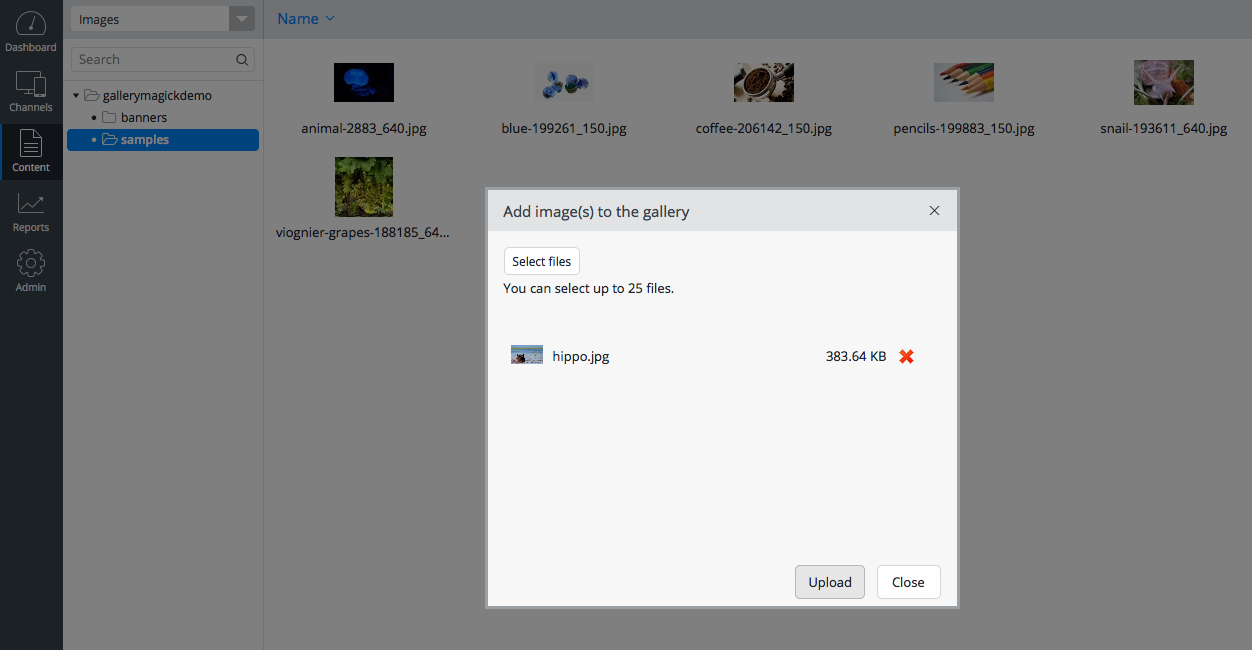
If you click on the "Upload" button, you will see the image being uploaded.
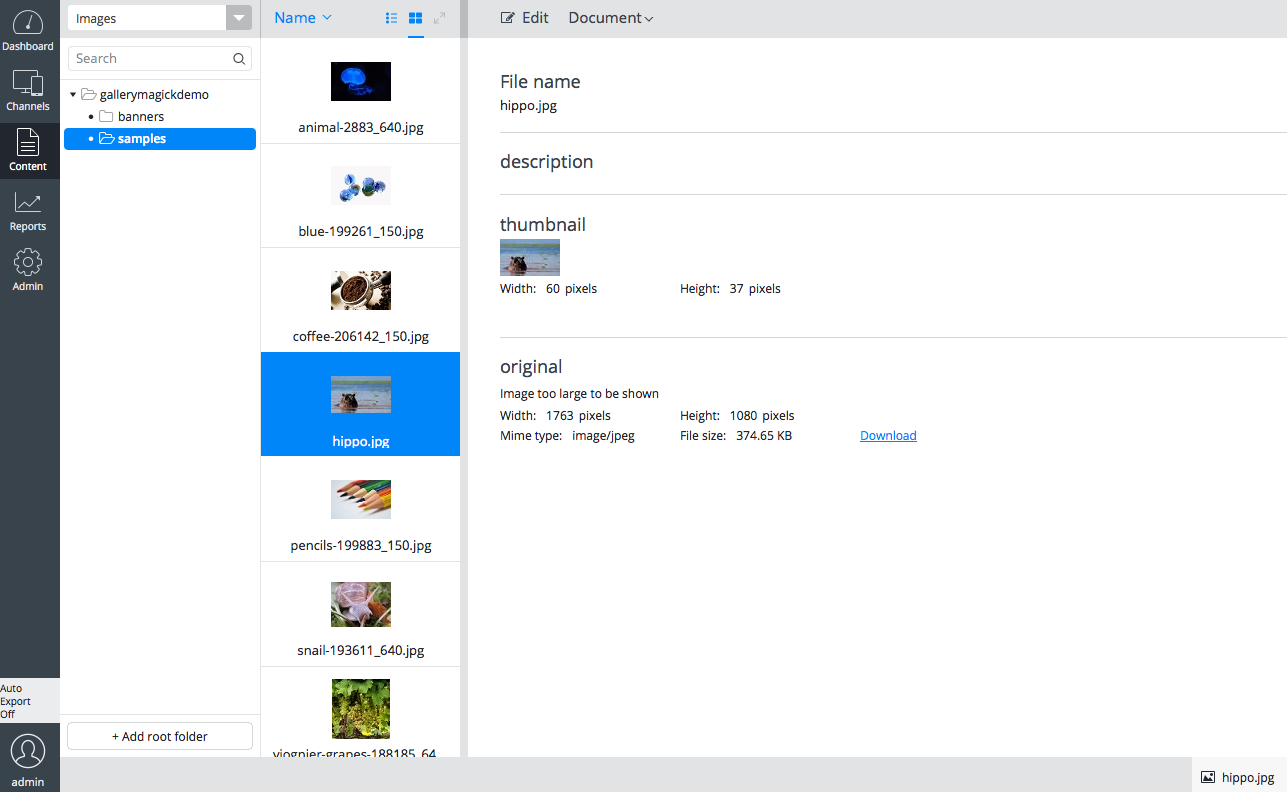
You don't see anything new yet. :-) It's basically working like how the default Gallery Processor works, so the functionally is almost the same.
However, if you take a look at the logs (the demo project is configured to leave logs in DEBUG level for the plugin related code by default), you will see clues about how the plugin works under the hood!
Note: the log data shown above were minified for readability.
Basically, when either of the non-Java based solution, the plugin copies the original image data to a temporary file and resizes the temporary file of the original image for a thumbnail image by executing commands of either GraphicsMagick or ImageMagick. After executing the commands, it deletes all the temporary files.
Also, try to crop and restore thumbnails in the CMS UI to get more clues.
Project status
Please see Release Notes.